
Notifications
Clear all

Topic starter
There are two ways to add images to posts, using an image link, or uploading it as an attachment.
Above the message composition panel you will see a row of icons. On there is a "insert an image" button.

Click on it, and you get a popup window, asking for the image link. Here , if you are not sure what the link is, you can drag the image from a web page into that URL field, and it will automatically populate the link.
The second way is as an attachment. Below the message composition window is a button labelled "Attachments and other options".
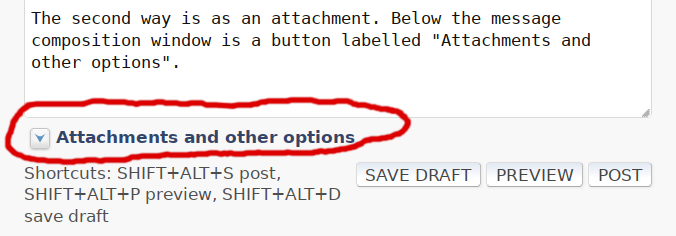
Click on it.
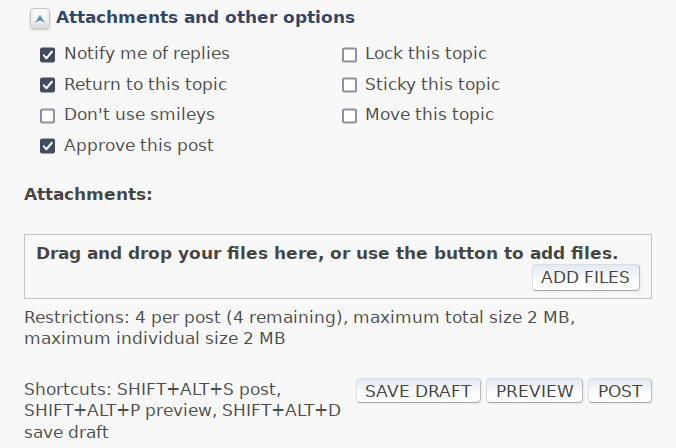
To upload a file from your hard drive, you need to locate the file in your file manager, and then drag-drop the file icon from the file manager into the block labelled "Drag and drop your files here, or use the button to add files.", and press the "add files" button to upload.
When you want to reply to a message with an attachment, the Quick Reply panel has no image attachment button, only an image link button, precisely because it is a Quick Reply with text only.
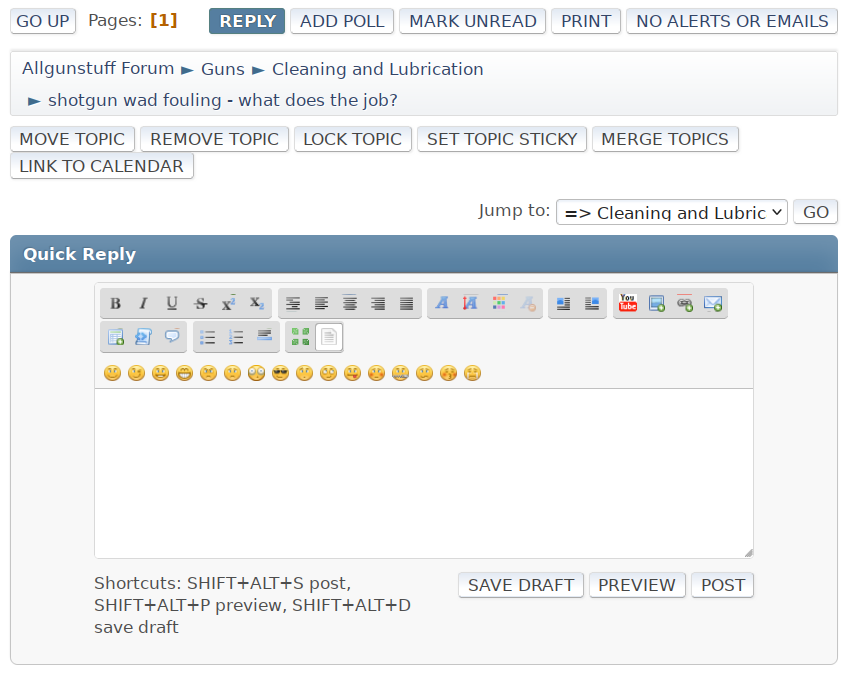
To reply to a post and add an attachment, or image from your local hard drive, use the "Reply" button in the footer of the forum topic, a little way above the "Quick Reply" panel :
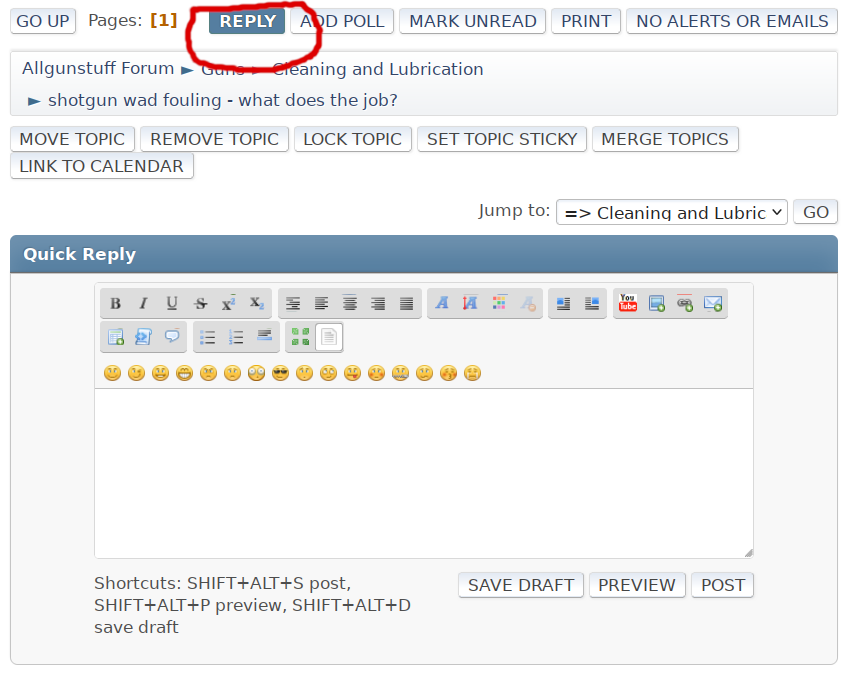
This little how-to was assembled from images exactly as described in this how-to.
To reply with an image
Posted : 21/06/2022 5:28 am

I think I will just describe the event discussed in greater detail ;D
I am who I am - I am not who you want me to be.
Therefore I am me.
Posted : 21/06/2022 8:56 am

Colour me Dumb but I cannot find this option when replying to private messages ?
Posted : 08/04/2026 3:04 am
Topic starter
As far as I can tell, private message replies do not have that feature, only forum posts and replies to forum posts do.
Posted : 08/04/2026 8:13 am